The domain record looks itself up.
Tick the checks you want on a Domain/DNS document, press Check now, and the record tells you what the internet thinks of it: who is answering DNS, when the certificate runs out, what the registry says about expiry, and whether email is protected.
The records, and who is answering for the domain. Compared with the DNS Host field, so a migration that half-happened shows.
The certificate on the apex and www, who issued it, and how long it has left.
The registry's own registration record: registrar, creation, and expiry. Offered to the Registrar and Expiration fields with a "Use this" button.
Whether SPF, DMARC, and DKIM are published, and what the DMARC policy actually is.
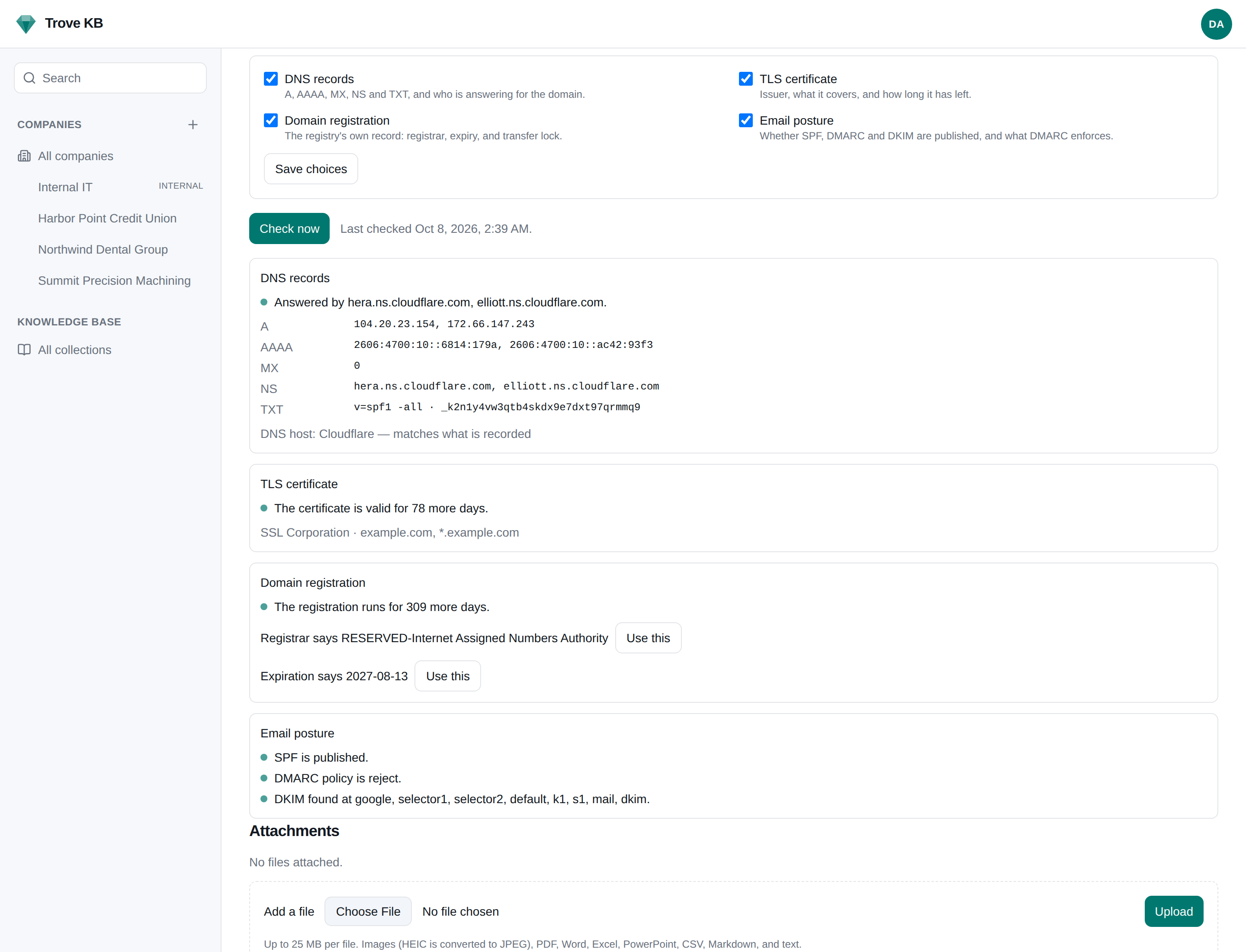
Offered, never applied.
- →Nothing runs in the background. A check runs when you press Check now, and the result is kept until you ask again. Reading a page costs no lookups.
- →What it finds is offered, never applied. Accepting a suggestion is an ordinary edit, with a revision and an audit entry.
- →A domain is typed by a person, so a lookup is untrusted: names are resolved first, anything resolving inside your network is refused, and the connection is made to the address that was checked.
- →Field roles decide which field holds the domain, the registrar, the DNS host, and the expiry, so your own doc type works as well as the starter one.
Pair it with a review schedule on the expiry date and Admin → Notifications lists the renewals coming up across every client, with a document.due webhook for your ticketing system.
Stop finding out from the client.
Expiry, certificate, and mail posture in the record, not in a spreadsheet.